

Best placement & installation guide
Proper placement ensures the strongest connection to the property WiFi and the best coverage inside your accommodation.
3 Simple Steps
1
Mount & Power
Place the router near a window, 4–7 ft above the floor. Plug in the power adapter and wait 2–3 minutes to start. No Ethernet needed.
2
Connect to Wi-Fi
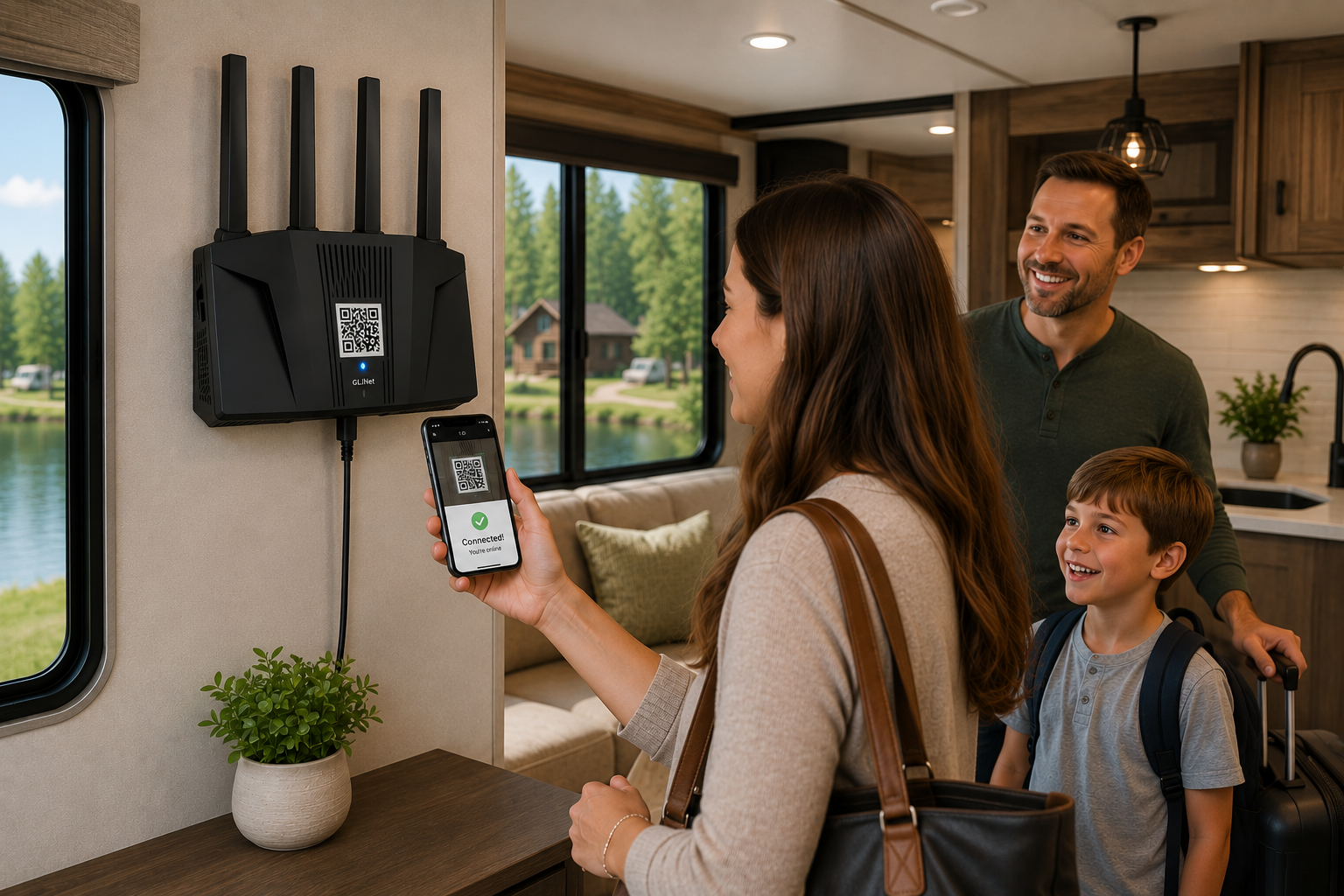
Find the Wi-Fi name (SSID) and password on the device label, or scan the QR code with your phone.
3
Authenticate & Enjoy
Open a browser and complete the property login. All your devices will have internet access once connected.
Good Placement Examples

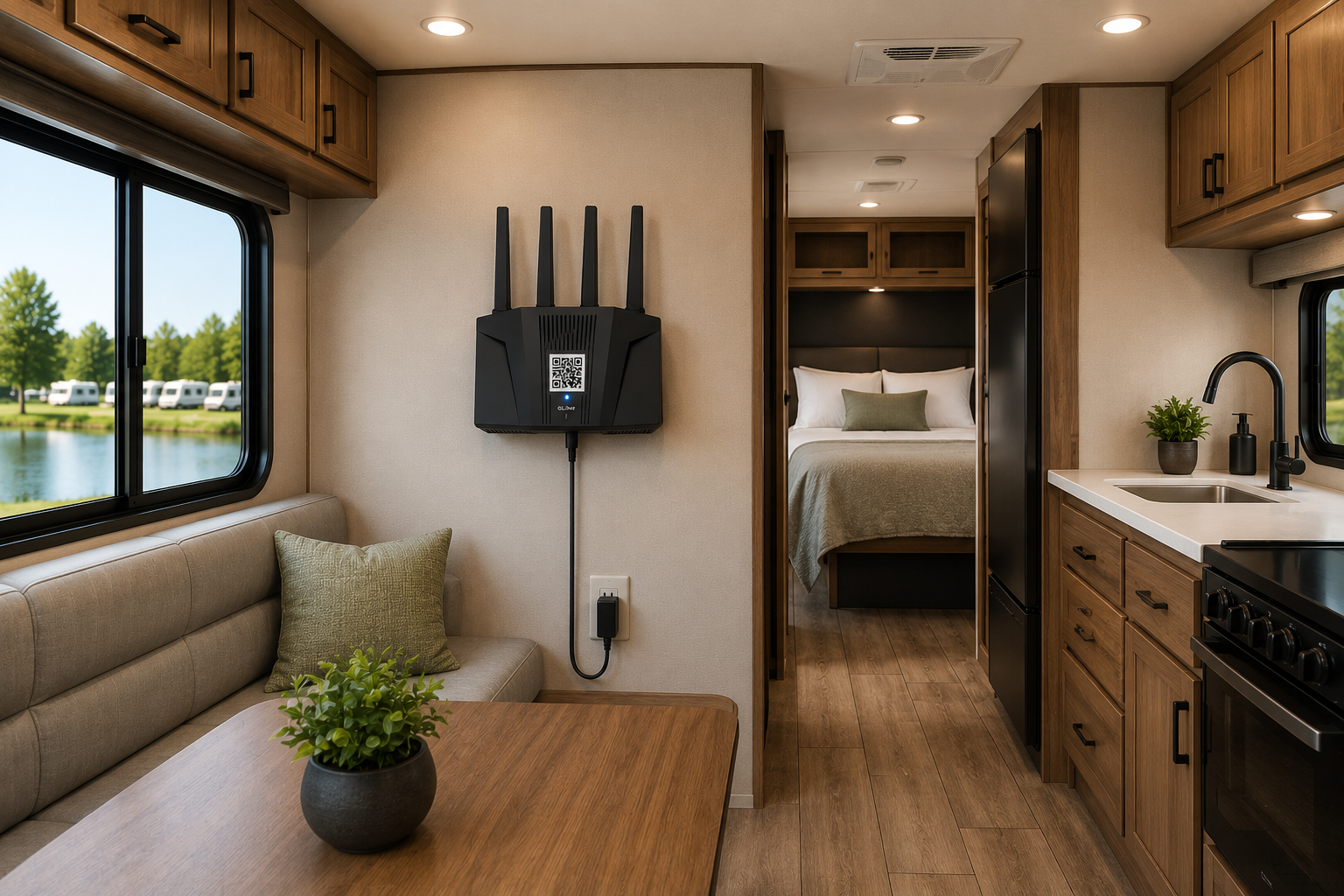
Near a Window
Clear line of sight to the property access point — strongest possible signal.
Central & Open
Better Wi-Fi coverage distributed evenly throughout the accommodation.
Visible & Accessible
Guests can easily read the Wi-Fi name and scan the QR code on the label.
Avoid These Locations


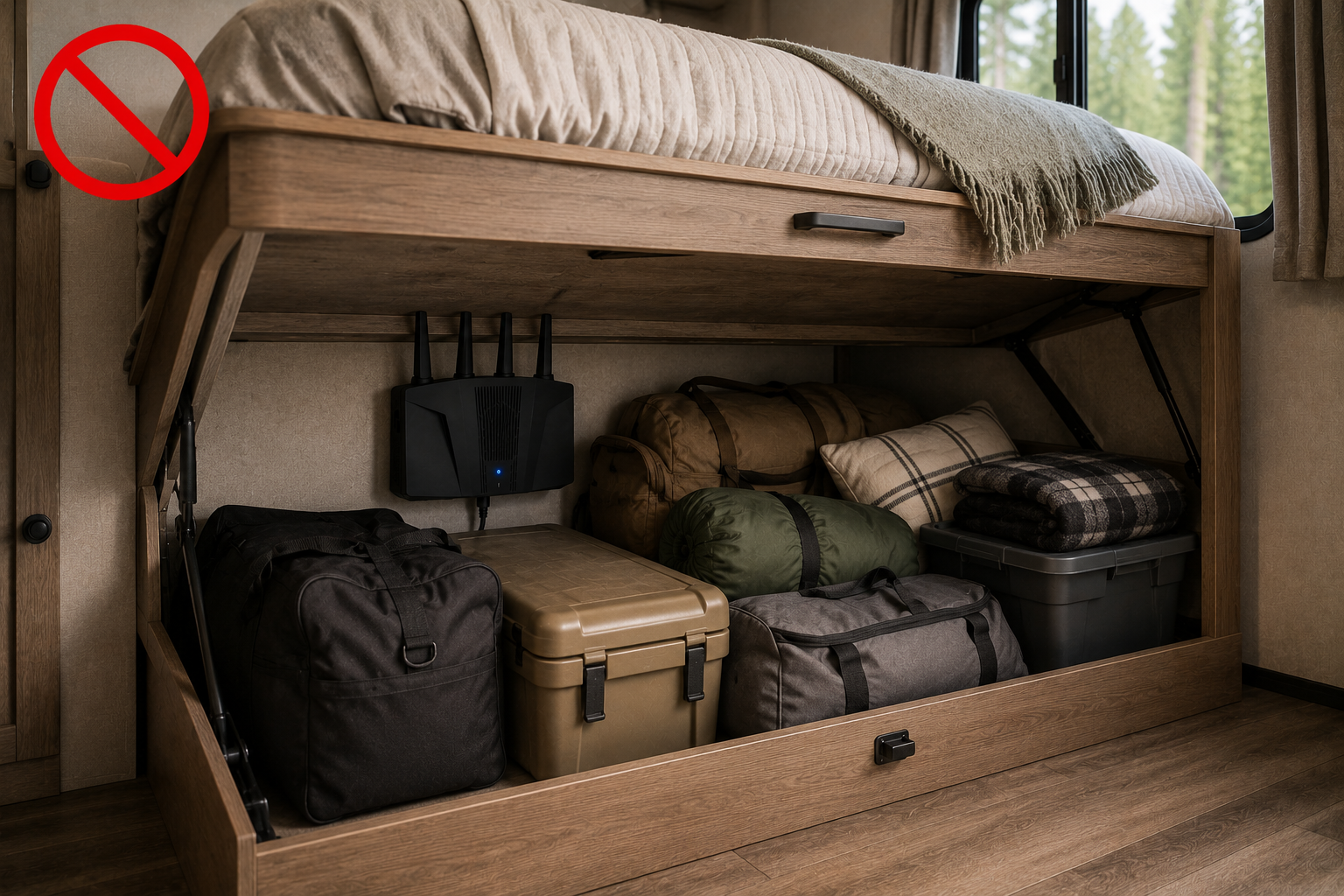
Inside Cabinets
Enclosed spaces block signal and trap heat, reducing performance.
Behind TVs
Large electronics create interference and degrade signal quality.
Near Appliances
Microwaves and refrigerators disrupt the Wi-Fi signal significantly.
Metal Enclosures
Metal blocks radio signals almost entirely — signal cannot penetrate.
Near Electrical Panels
High electrical interference significantly degrades Wi-Fi performance.
Under Beds & Storage
Hidden locations reduce range and make the device hard to locate.
Tips for Best Performance
Height Matters
Place 4–7 ft above the floor near a window for the strongest outdoor signal.
Stay Central
A central, open location distributes coverage evenly across your entire space.
Avoid Interference
Keep away from metal cabinets, appliances, and electrical panels at all times.
Keep It Powered
Mount securely and leave the device powered on at all times for best results.
Pro tip: The higher and closer to the outside wall, the better the signal. Keep the device visible and powered on.
Device Information

Automatically connects to the property Wi-Fi — no configuration needed
Powered by the included adapter — standard outlet, no Ethernet required
Wi-Fi name and QR code located on the device label for easy guest access
No technical setup required — plug in and it connects automatically
Need Support?
Available 24/7 — we're here to help.